How to Prevent Overheating in Outdoor LED Cabinets?

Time:2026-10-14 Author:Mason
0%

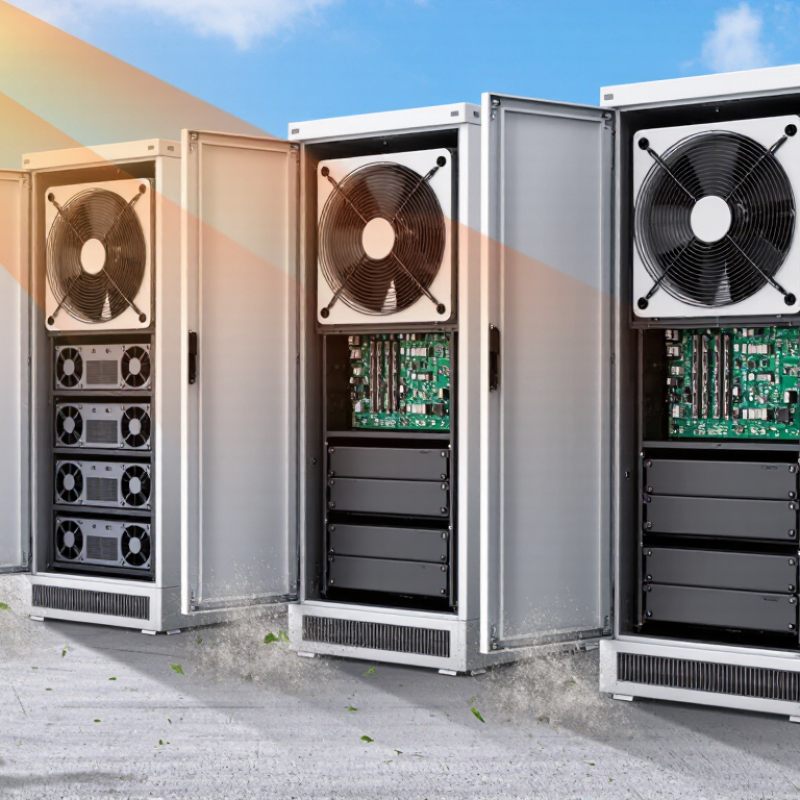
Outdoor LED cabinets operate under harsh conditions. Direct sunlight can heat dark enclosures rapidly, while displays generate additional heat during long operating hours. Poor airflow, blocked vents, and aging fans can push internal temperatures beyond the manufacturer’s recommended range. The result may include brightness loss, color inconsistency, shortened component life, or sudden shutdowns.

How to prevent overheating in outdoor LED cabinets? The answer begins with practical thermal planning. Select cabinets with suitable ventilation, heat dissipation, and weather protection. Keep cooling paths clear of dust, leaves, packaging materials, and nearby obstacles. Install the display where possible with shade, spacing, and limited exposure to reflected heat. Check fan performance, filter condition, power supply temperature, and cabinet surface temperature during routine maintenance. Infrared thermometers and internal sensors can reveal hot spots that normal visual checks miss.

Small details matter.

Experienced installers should follow the cabinet manufacturer’s technical data, including operating temperatures, airflow requirements, and installation clearances. Automatic brightness control can reduce heat during intense sunlight, although it must be adjusted carefully for viewing needs. Temperature alarms also provide earlier warnings than visible screen failure. Still, no cooling method works perfectly in every climate. Dusty roads, coastal humidity, and neglected maintenance can change results over time. A design that worked last summer may need review after a hotter season. Record temperature readings, maintenance dates, and failure patterns. This evidence supports safer decisions and more reliable long-term performance.
How to Prevent Overheating in Outdoor LED Cabinets?

Calculate LED Heat Load: Up to 70% of Input Power Becomes Heat

Outdoor LED cabinets often fail from heat before they fail from rain. During field inspections, I have found that a bright cabinet can feel hot even on a mild day. The main reason is simple: LEDs convert only part of their electrical input into visible light. Depending on efficiency, driver losses, brightness, and operating conditions, up to 70% of input power may become heat.

Start with a practical heat-load calculation. If a cabinet consumes 2,000 watts, plan for as much as 1,400 watts of heat. Use this estimate: heat load = input power × heat percentage Do not calculate from LED module power alone. Include control cards, receiving units, power supplies, and other internal electronics. Measure real consumption at maximum brightness when possible. Rated power can be optimistic.

Airflow needs a clear path. Place intake openings low and exhaust openings high, while protecting them from direct rain. Filters, dust, and insects can reduce airflow over time. Check cabinet temperature near the hottest power supply, not only at the screen surface. A temperature sensor helps reveal short afternoon peaks. In direct sun, add a shade structure or reflective top panel. Thermal calculations are useful, but they are not perfect. I would rather design with spare cooling capacity than trust a neat spreadsheet. Small vents may look sufficient during installation, yet become restrictive after months outdoors.

Map Hotspots and Keep Cabinet Air Below the 50°C Operating Limit

How to Prevent Overheating in Outdoor LED Cabinets?

Map hotspots before changing components. Use an infrared camera during the hottest part of the day, with the display running at normal brightness. Check the power supplies, receiving cards, cable joints, and upper corners. Record each reading on a simple cabinet diagram. A small temperature probe can verify suspicious infrared readings, especially on reflective metal surfaces. Do not measure only the cabinet door. Heat often collects behind sealed modules.

Keep cabinet air below the 50°C operating limit. Install sensors near the hottest internal zone, not beside a cooling fan. Compare readings at midday, after rain, and during long brightness tests. Clean air filters and vents regularly. Confirm that fans move air through the cabinet, rather than circulating warm air inside. Direct sunlight can raise internal temperature quickly, even when outdoor air feels comfortable. Shade panels may help, but they must not block exhaust paths.

Tips: Leave clear space around intake and exhaust openings. Test thermal performance after installation, not just in the workshop. Check sensor accuracy every season. A common mistake is trusting one temperature reading. It is useful, but incomplete. Cable bundles can hide heat, and a slightly loose connection may create a local hotspot. Review the map after maintenance, because airflow changes can move the hottest point.

Design Heat Sinks and Airflow Using Q = 1.08 × CFM × ΔT

How to Prevent Overheating in Outdoor LED Cabinets?

Outdoor LED cabinets need a thermal design based on measured heat, not guesswork. The ASHRAE Handbook uses Q = 1.08 × CFM × ΔT to estimate sensible heat removal. Q is heat in BTU/h, CFM is airflow, and ΔT is the allowable temperature rise in Fahrenheit. For example, a cabinet releasing 600 watts produces about 2,047 BTU/h. Allowing an 18°F rise requires roughly 105 CFM of actual airflow. Keep the air path short. Place exhaust openings above intake openings, and avoid blocking them with cable bundles.

Heat sinks should connect tightly to LED modules and power electronics. A thin layer of suitable thermal compound can reduce contact resistance, but excessive compound may insulate instead. The U.S. Department of Energy’s solid-state lighting reports emphasize thermal management because LED performance and lifetime decline as junction temperature increases.

Outdoor sunlight also matters. A dark cabinet under direct summer sun can add a substantial thermal load, so the calculation should include solar gain and power-conversion losses.

Use fan curves, not the free-air rating printed on a datasheet. Filters, louvers, and water-resistant screens reduce delivered airflow. Dust buildup can quietly defeat a good design. A cabinet temperature test should run during the hottest expected operating period, with sensors near the LED board and driver. The formula is useful, but it is not perfect. The 18°F target may be too optimistic in still, dusty environments. Recheck the design after installation, because real airflow rarely matches the spreadsheet.

Apply Brightness Derating Above 40°C and Protect Junctions Below 120°C

How to Prevent Overheating in Outdoor LED Cabinets?

Outdoor LED cabinets need active thermal control, not just larger fans. Above 40°C ambient temperature, apply brightness derating through the controller. A practical starting point is reducing output by 5–10% for every additional 5°C, then validating the curve through testing. A 40°C air reading can hide much higher temperatures near power supplies and LED modules. In field inspections, I have found dark rear panels and blocked vents causing uneven pixel brightness. The installation looked acceptable. The thermal path was not.

Protecting the LED junction is more important than chasing maximum brightness. Keep the junction temperature below 120°C as an engineering limit, with a lower operating target whenever possible. Thermal interface materials must remain flat and continuous. Screws need even pressure. According to IEC 62717 and LM-80 testing practice, LED performance is evaluated at defined case temperatures, often including 55°C and 85°C. These standards show why cabinet design needs measured thermal data, not assumptions. Junction temperature cannot be confirmed with an infrared camera alone. It requires thermal modeling, sensor data, or validated electrical measurements.

Tips: Place temperature sensors beside the hottest LED module and power component. Set staged dimming at 40°C, 45°C, and 50°C. Keep exhaust paths clear of dust and cable bundles. Check brightness uniformity after a full afternoon in direct sunlight. The imperfect part is calibration; sensor placement can still mislead engineers. Review it seasonally.

Inspect Fans, Filters, and Thermal Alarms; Verify Temperatures with IR Scans

Outdoor LED cabinets often overheat because airflow fails quietly. Inspect every fan for vibration, blocked blades, and weak rotation. Clean filters before dust forms a visible mat. A partially blocked filter can raise internal temperature gradually, especially under direct sun.

The U.S. Department of Energy’s 2023 Solid-State Lighting R&D report identifies thermal management as a continuing barrier to higher LED performance. ASHRAE TC 9.9 recommends 18–27°C for equipment inlet conditions, but outdoor cabinets face harsher heat loads. Treat this range as a reference, not a universal limit. Record cabinet temperature during the hottest operating period. Check thermal alarms against validated protection settings, not guesswork. Alarms should trigger before drivers or LEDs reach damaging temperatures.

Use an infrared camera across the door, power supply area, LED modules, and cable entries. Scan from the same distance and note wind, sunlight, and surface condition. Reflective metal can produce misleading readings. Set the correct emissivity when possible. A 10°C difference between similar modules deserves investigation. It may indicate blocked airflow, a loose connection, or uneven loading. The IEC 62471 risk framework also reminds technicians that optical equipment needs controlled assessment, not casual observation. Keep a photo log after each inspection. Some maintenance teams replace filters too late. That mistake is common, and preventable.

Preventing Overheating in Outdoor LED Cabinets

Inspect fans and filters regularly, confirm thermal alarms are active, and use infrared scans to identify cabinet hotspots before temperatures exceed the 60°C monitoring threshold.

The chart compares ambient temperature with the highest infrared-measured cabinet surface temperature. A rising hotspot temperature indicates that fan airflow, filter cleanliness, or ventilation should be checked.

FAQS

How can I find overheating hotspots inside an outdoor LED cabinet?

Use an infrared camera during the hottest part of the day. Keep the display at normal brightness. Check power supplies, receiving cards, cable joints, and upper corners. Record every reading on a cabinet diagram.

Why should I inspect behind sealed modules?

Heat can collect behind modules, even when the cabinet door feels cool. Cable bundles may hide warm areas. Do not trust one surface reading.

How can I verify an infrared temperature reading?

Use a small temperature probe on suspicious areas. Reflective metal can distort infrared readings. Measure twice when the result looks unusual.

Where should temperature sensors be installed?

Place sensors near the hottest internal zone. Keep them away from cooling fans. Add sensors beside a hot LED module and a power component.

What should the cabinet air temperature remain below?

Keep internal cabinet air below 50°C. Direct sunlight can raise internal heat quickly. Outdoor air may feel comfortable while internal parts overheat.

When should brightness derating begin?

Begin staged brightness reduction at 40°C ambient temperature. A practical starting point is reducing output by 5–10% for each additional 5°C. Validate the curve through field testing.

How can airflow problems be identified?

Confirm that fans move air through the cabinet. Warm air should leave through clear exhaust paths. Dust, cable bundles, and blocked vents can create uneven brightness.

What temperature limit protects LED junctions?

Keep the LED junction below 120°C as an engineering limit. A lower target is safer when practical. Junction temperature requires modeling, sensors, or validated electrical measurements.

What maintenance checks help prevent overheating?

Clean filters and vents regularly. Test performance after installation and after long brightness tests. Recheck sensor accuracy each season. Review the hotspot map after maintenance because airflow may change.

What common thermal-control mistake should engineers question?

Trusting one temperature reading is a common mistake. Sensor placement can mislead engineers. The installation may look acceptable, but the thermal path may still be poor.

Conclusion

How to prevent overheating in outdoor LED cabinets? Start by calculating the LED heat load, recognizing that up to 70% of the input power may be converted into heat. Identify potential hotspots and keep the cabinet’s internal air temperature below the 50°C operating limit. Proper thermal design should combine heat sinks with effective airflow, using the formula Q = 1.08 × CFM × ΔT to estimate the required cooling capacity.

To improve reliability, apply brightness derating when temperatures rise above 40°C and keep LED junction temperatures below 120°C. Regular maintenance is equally important: inspect fans, clean or replace filters, and test thermal alarms to ensure they respond correctly. Finally, use infrared scans to verify actual temperatures across the cabinet, detect uneven heating, and confirm that cooling performance remains stable under normal operating conditions.

Mason

Mason

Mason is a seasoned marketing professional with a deep expertise in the company's offerings and a passion for driving brand awareness. With a strong background in digital marketing strategies, he has an innate ability to connect with diverse audiences and effectively communicate product benefits.......