How to Sync Multiple LED Screens for One Video Seamlessly?

Time:2026-05-25 Author:Liam
0%

In today's digital landscape, the use of LED screens for immersive experiences is growing rapidly. According to a recent report by Mordor Intelligence, the global LED display market is expected to reach $105 billion by 2026. As businesses increasingly adopt multi-screen setups, the question arises: "How to synchronize multiple LED screens for one video?" This synchronization is crucial for enhancing visual impact and ensuring a seamless viewer experience.

Industry expert Dr. Emily Chen, a leading figure in display technology, emphasizes the importance of synchronization. She states, "Without precise coordination among screens, the visual message can easily become distorted." Achieving this synchronization involves complex processes, including timing control and network management. Challenges persist, especially in ensuring that all screens display identical content without delays or glitches.

While technology has advanced, there is still room for improvement in synchronization methods. Factors like latency and hardware compatibility often create hurdles. As more businesses venture into multi-screen displays, understanding how to address these challenges is essential. By exploring effective techniques, we can elevate the standard of visual presentations across various industries.
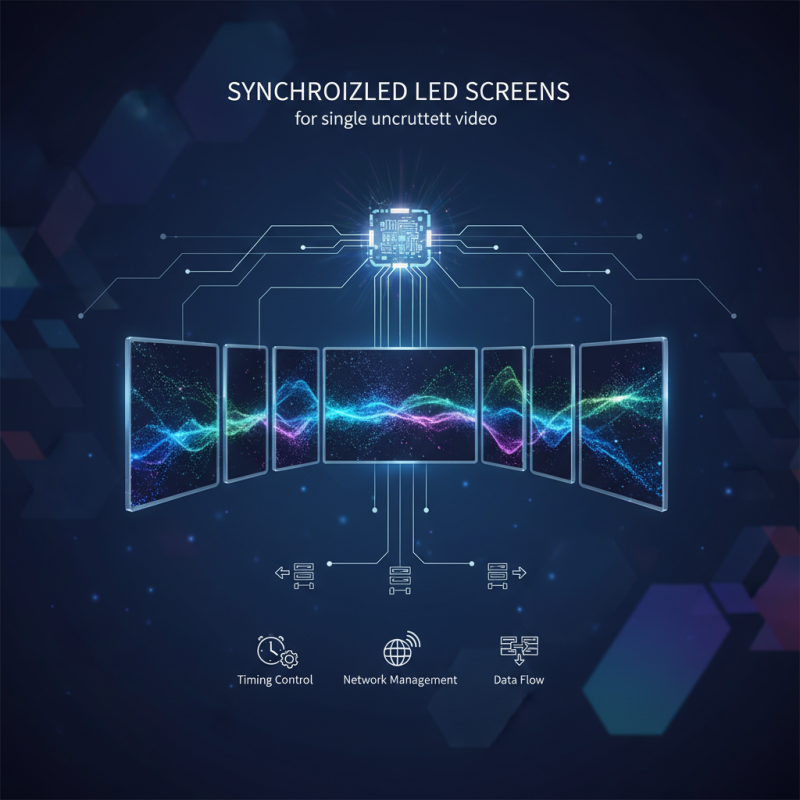
How to Sync Multiple LED Screens for One Video Seamlessly?

Understanding the Basics of LED Screen Synchronization

When syncing multiple LED screens for a cohesive video display, understanding the fundamentals is key. Each screen may have varying refresh rates, resolutions, and color calibrations. These differences can affect the visual experience. It's vital to align these parameters for a seamless presentation. While software solutions can aid in synchronization, hardware setups also play a crucial role in minimizing lag or distortion.

Calibration is another critical step. Each screen needs to be fine-tuned to display the same brightness and color settings. Overlooked details may lead to noticeable discrepancies. Common issues arise from incorrect settings or network delays. Regular checks and adjustments can help maintain consistency across displays. It’s not always easy to achieve perfection, but recognizing these challenges is crucial for improvement in future setups.

How to Sync Multiple LED Screens for One Video Seamlessly? - Understanding the Basics of LED Screen Synchronization

LED Screen Model Max Resolution Refresh Rate Connection Type Sync Method
Model A 1920 x 1080 60 Hz HDMI Master-Slave
Model B 2560 x 1440 120 Hz DisplayPort Network Sync
Model C 3840 x 2160 60 Hz HDMI Genlock
Model D 1920 x 1080 30 Hz DVI Video Wall Controller

Choosing the Right Hardware for Multi-Screen Setup

When setting up multiple LED screens to display a single video, selecting the right hardware is crucial. Consider the resolution and size of each screen. High-resolution displays enhance the visual experience, but they require compatible hardware for synchronization. A video wall processor can manage multiple inputs and output signals effectively. Ensure the processor can handle your desired video quality without lag.

Another important factor is the cabling. Use high-quality HDMI or SDI cables for reliable connections. Poor cables can lead to signal degradation. It's also essential to evaluate the power supply needed for your setup. Inadequate power can cause flickering and inconsistent performance.

Reflect on the overall layout. The positioning of screens matters. Gaps between screens can disrupt the visual flow. Test the setup before the final installation. Adjustments may be required to achieve perfect alignment. This process may reveal unanticipated challenges, such as image distortion at the edges. Attention to detail during installation is vital for a seamless experience.

Configuring Video Output Settings for Seamless Playback

Configuring video output settings is essential for seamless playback across multiple LED screens. Proper calibration ensures that all screens display the same video content without flickers or delays. Start by checking the resolution of each screen. All screens should share the same resolution for optimal performance. Adjusting the aspect ratio is equally important. A mismatch can lead to distorted images or black bars on the sides.

Syncing audio and video is another critical step. Delays in audio can disrupt the viewing experience. Use tools to measure audio lag and adjust settings accordingly. Some setups might require a more complex configuration, involving a video processor that can distribute signals evenly. This can enhance the experience, but it also increases the risk of technical issues. Testing before the official display is crucial; any oversight can lead to disappointing results.

Be mindful of cable quality as well. Inferior cables may introduce latency or signal loss. Regularly inspect connections to avoid unexpected failures. Investing time in configuration can yield great results, but it’s not foolproof. Mistakes can happen. Reflecting on any errors during setup will help improve future displays. Adjusting video output settings is a balance of technology and creativity.

Utilizing Software Solutions for Synchronization Management

Synchronizing multiple LED screens can elevate visual experiences. To achieve seamless video playback across all screens, software solutions are crucial. These tools manage timing properly to ensure that all displays are in harmony.

Using synchronization software can greatly improve the outcome. Look for features that allow for real-time adjustments. This is vital when making on-the-fly changes during live events. Test the software before the final presentation. Sometimes, lag may occur unexpectedly. This surprises even seasoned professionals.

Tips: Invest time in understanding the software's capabilities. Familiarize yourself with its interface and functionalities. Regular updates can enhance performance and fix bugs. Conduct dry runs to identify potential issues. Debugging at this stage can save headaches later. A well-prepared setup not only boosts reliability but can also refine the overall visual presentation.

Troubleshooting Common Issues in LED Screen Syncing

Syncing multiple LED screens for a seamless video experience can be tricky. Many users face issues like frame misalignment and audio delays. These problems can disrupt the overall viewing experience, making it essential to troubleshoot effectively.

One common issue is a delay in signal transmission. This may occur due to the distance between screens or the cables used. Check all connections thoroughly. Ensure your cables are high quality and suitable for the distance. If you still experience delays, consider using a signal booster.

Another frequent problem involves color calibration. When screens are not calibrated correctly, colors may look different. Adjust each screen's settings to ensure consistency. Use a color calibration tool if available. This will significantly enhance the viewing experience. Moreover, remember that environmental factors can affect performance. Reflections and ambient light can impact visibility. Testing in different conditions will help identify potential issues. Look for solutions that adapt to various environments.

Syncing Quality of Multiple LED Screens

FAQS

: Why is configuring video output settings important?

: Proper calibration ensures seamless playback across multiple screens, avoiding flickers or delays.

How do I start configuring video output for LED screens?

Begin by checking the resolution of each screen; they need to match for optimal performance.

What should I consider regarding aspect ratio?

Ensure the aspect ratio matches to prevent distorted images or unwanted black bars.

How can I sync audio and video effectively?

Measure audio lag and adjust settings to eliminate delays, ensuring a smooth viewing experience.

What role do cables play in video output?

High-quality cables minimize latency or signal loss; inspect them regularly to avoid failures.

What if there's a delay in signal transmission?

Check all connections and consider using a signal booster if distances are significant.

How do I calibrate colors on multiple screens?

Adjust each screen's settings and use a color calibration tool for consistency across screens.

Can environmental factors affect LED screen performance?

Yes, reflections and ambient light can impact visibility. Test in various conditions.

How can I prevent technical issues during playback?

Test configurations before the official display to identify and correct any potential oversights.

What should I do if I face problems while syncing screens?

Reflect on any errors made during setup and seek solutions that cater to those issues.

Conclusion

In modern digital displays, learning how to synchronize multiple LED screens for one video is essential for creating a cohesive and immersive viewing experience. The process begins with understanding the basics of LED screen synchronization, ensuring that all screens display the content in perfect harmony. Selecting the right hardware for your multi-screen setup is crucial, as different components can affect overall performance and playback quality.

Once the hardware is in place, configuring video output settings is necessary for seamless playback across all screens. Utilizing software solutions can enhance synchronization management, allowing users to control content delivery more effectively. Additionally, being familiar with common troubleshooting techniques is vital for addressing any issues that may arise during the syncing process. Ultimately, mastering these elements will ensure a flawless presentation for any event or display.

Liam

Liam

Liam is a dedicated marketing professional with a profound expertise in the industry, where he excels at highlighting the unique advantages of our core products. With a keen understanding of market trends and consumer needs, Liam frequently updates our company’s professional blog, providing......