Top 10 Tips Can You Use an Indoor LED Screen Outdoors?

Time:2026-09-14 Author:Henry
0%

Can I use an indoor LED screen outdoors temporarily? The honest answer depends on weather, installation time, and the screen’s construction. Indoor displays are designed for controlled environments, not rain, dust, direct sunlight, or sudden temperature changes. A brief outdoor event may seem harmless, but one humid afternoon can damage exposed circuit boards.

This guide explores ten practical tips for using an indoor LED screen outside with greater care. It covers waterproof protection, sunlight visibility, cooling, power safety, mounting, cable management, and weather monitoring. For example, a screen placed beneath a tent may still face wind-driven rain. A dark screen can also become difficult to read under strong midday sunlight. Brightness matters.

Check the manufacturer’s specifications before moving the display outdoors. Look for operating temperature limits, humidity guidance, power requirements, and any IP rating. If the product has no outdoor approval, treat outdoor use as a controlled, temporary experiment rather than a normal installation. That distinction is important. It may work. It may also fail unexpectedly.

Experienced technicians often test the screen for several hours before the event. They inspect connectors, use suitable covers, and keep ventilation openings clear. However, protective covers can trap heat, which is an easy mistake to overlook. Weather forecasts are useful, but they are not guarantees. A safer decision combines technical documentation, careful supervision, and a realistic exit plan. These tips will help you judge the risks, protect the equipment, and decide whether temporary outdoor use is genuinely practical.
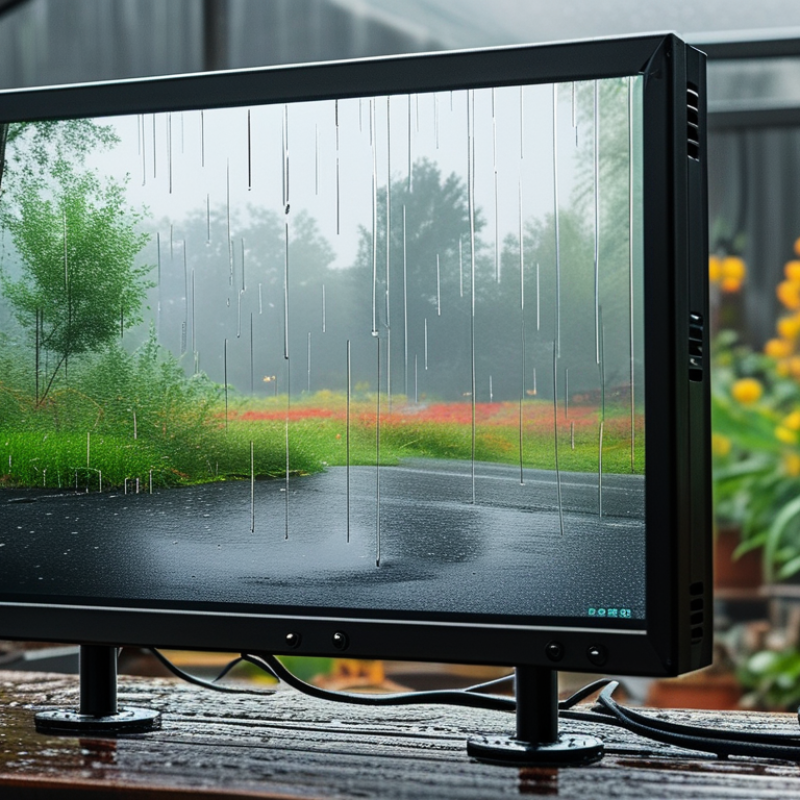
Top 10 Tips Can You Use an Indoor LED Screen Outdoors?

Assess Whether an Indoor LED Screen Can Handle Outdoor Conditions

An indoor LED screen may display images outdoors, but that does not make it outdoor-ready. The real question is whether its enclosure, modules, power supply, and control system can tolerate changing conditions. Check the product datasheet for the IP rating, operating temperature, humidity range, and UV resistance. Indoor panels often have limited sealing. Rain can enter through seams, while morning condensation reaches connectors. Sunlight creates another problem. Indoor screens usually lack sufficient brightness and UV protection, so images may look washed out.

Inspect the installation site at different times. Measure direct sunlight at noon. Many outdoor displays require far higher brightness than typical indoor units. Also examine wind exposure, drainage, and cabinet ventilation. A sealed cover may block rain but trap heat inside. That mistake can damage power supplies during hot afternoons. The supporting frame must handle local wind loads, and electrical work should follow applicable safety codes. Use weather-rated cables, grounding, and properly protected power equipment.

Temporary outdoor use is possible only with careful protection and monitoring. A canopy, drainage path, and weather-resistant enclosure can reduce risk, but they cannot fix a weak cabinet design. Check the screen after rain and after a full heat cycle. Look for fogging, flickering modules, rust, or unusual fan noise. It is easy to underestimate condensation. Many failures begin quietly. Confirm that outdoor adaptation will not cancel the warranty, and compare the protection cost with an outdoor-rated replacement. The cheaper choice is not always the safer one.

Protect the Screen from Moisture, Dust, Heat, and Direct Sunlight

Top 10 Tips: Can You Use an Indoor LED Screen Outdoors?

An indoor LED screen can survive outdoors only with a carefully engineered enclosure. Moisture enters through cable glands, seams, and cooling openings. Use a sealed cabinet with drainage, corrosion-resistant hardware, and a breathable pressure valve. IEC 60529 defines IP65 as dust-tight protection and resistance to water jets, not immersion. That distinction matters during heavy rain.

Dust acts like insulation on fans, filters, and power supplies. Schedule inspections after construction work, pollen peaks, and sandstorms. Keep the display under a roof where possible, but never block airflow. Direct sunlight is harsher. The World Meteorological Organization reports that ultraviolet radiation and heat accelerate material aging. The U.S. Department of Energy’s solid-state lighting guidance links higher LED junction temperatures with shorter service life. A common engineering rule says a 10°C rise can roughly halve expected life, although actual results vary. Not every installation follows the rule perfectly.

Measure cabinet temperature at midday, not sunrise. Add a sunshade, reflective backing, and controlled ventilation when readings climb. Choose brightness carefully. Maximum output creates unnecessary heat. Protect connectors with drip loops and inspect seals quarterly. Do not trust a weatherproof label alone. Request test records, temperature limits, and an ingress-protection certificate. A display may look bright on day one, yet fail after one wet season if condensation has nowhere to escape.

Top 10 Tips Can You Use an Indoor LED Screen Outdoors? - Protect the Screen from Moisture, Dust, Heat, and Direct Sunlight

No. Tip Main Outdoor Risk Recommended Protection Practical Target or Reference Inspection or Maintenance Action
1 Confirm the Screen's Environmental Rating Indoor cabinets may not be sealed against rain, condensation, or airborne dust. Check the complete assembled display, including cabinets, power boxes, cable entries, and connectors. For exposed outdoor installation, use equipment specifically rated for outdoor conditions rather than relying on an indoor cabinet alone. A commonly used outdoor reference is IP65 for the front and IP54 or higher for the rear, subject to the actual product design and installation method. Review the manufacturer's environmental rating and inspect gaskets, covers, cable glands, and cabinet joints before installation.
2 Create a Weatherproof Enclosure Rain and wind-driven water can enter through ventilation openings, seams, and cable connections. Install a properly designed canopy or enclosure with a sloped top, drainage path, protected rear access, and sufficient airflow. Do not seal the display in a box without thermal calculations or ventilation. Keep roof edges and drainage outlets clear. Prevent standing water and direct water flow toward the screen or electrical components. After rain, inspect the cabinet interior, drainage channels, and lowest points for water accumulation or condensation.
3 Control Moisture and Condensation Condensation can cause corrosion, short circuits, image faults, and insulation damage even when there is no visible rain. Use sealed cable entries, corrosion-resistant hardware, suitable anti-condensation measures, and a controlled warm-up procedure. Allow a cold or wet display to dry before applying full power. Keep the display within its specified relative-humidity range. Avoid operating equipment when visible moisture is present inside the cabinet. Look for fogging, droplets, oxidation, discolored connectors, and corrosion on metal parts during scheduled inspections.
4 Protect Against Dust and Fine Particles Dust can block ventilation, contaminate connectors, reduce brightness, and increase heat buildup. Use filtered or protected air paths where appropriate, keep unused openings closed, and position the display away from construction dust, roads, and exhaust outlets. Use the applicable ingress-protection requirement for the location. An IP6X dust-tight front is a useful reference for highly exposed surfaces. Clean air inlets, heat sinks, fans, and cabinet surfaces with approved low-pressure methods. Never force debris deeper into the modules.
5 Manage Heat and Internal Temperature High ambient temperature and direct solar loading can shorten LED, driver, and power-supply life. Provide shaded airflow, maintain clearances around ventilation openings, and use thermostatically controlled fans or cooling equipment when required. Keep the internal temperature within the display's specified operating range. Many electronic systems are designed around approximately 0°C to 40°C, but the actual limit must be verified for the equipment. Record internal temperature during the hottest part of the day and check for thermal alarms, fan failure, or unusually hot power supplies.
6 Reduce Direct Sunlight and UV Exposure Sunlight can make content difficult to read, accelerate material aging, and create uneven thermal loading across the display. Add a sunshade, orient the screen away from the strongest solar angle where possible, and use UV-resistant housing, front masks, and protective materials. Outdoor readability often requires substantially higher brightness than indoor viewing. The required level depends on screen size, viewing angle, content, and local sunlight conditions. Compare readability at different times of day and inspect plastics, seals, coatings, and masks for fading, cracking, or brittleness.
7 Use Outdoor-Suitable Brightness Control An indoor screen may be too dim in daylight, while excessive brightness can increase heat, power consumption, and glare at night. Use a light sensor or scheduled brightness control with manual override. Set lower nighttime brightness to reduce glare and avoid unnecessary thermal stress. Configure brightness according to ambient light and local regulations. Test both direct-sunlight operation and nighttime viewing from nearby roads or buildings. Verify sensor accuracy, automatic dimming response, minimum brightness, and safe recovery after a control-system restart.
8 Install Surge, Grounding, and Electrical Protection Outdoor cables and electronics are more exposed to lightning-related surges, switching events, voltage variation, and water-related leakage. Use correctly rated circuit protection, residual-current protection where required, surge protection, bonding, and a verified protective-earth connection. Follow local electrical codes. Select protection devices based on the supply system, cable length, fault current, and local standards. Do not substitute grounding with a surge protector alone. Test earth continuity, inspect surge-protection indicators, tighten approved terminals, and review protection after severe storms.
9 Secure the Structure Against Wind and Vibration Outdoor wind loads can loosen fasteners, deform cabinets, damage connectors, or destabilize the mounting structure. Use a structural design suitable for the local wind zone, provide adequate bracing, and prevent unsupported cable weight from hanging on connectors. Have the mounting frame and fixings checked against applicable building and structural requirements. The required design depends on height, screen area, location, and wind exposure. Inspect anchors, brackets, hinges, locks, cabinet alignment, and cable strain relief after strong wind or vibration events.
10 Schedule Frequent Cleaning and Preventive Maintenance Outdoor contamination accumulates faster and can hide early signs of water ingress, corrosion, thermal stress, or pixel failure. Create a maintenance plan covering cleaning, seal inspection, brightness calibration, thermal checks, electrical testing, firmware backups, and spare-part management. Inspect monthly in harsh environments and at least quarterly in moderate environments, adjusting the interval for dust, salt, rain, heat, and operating hours. Keep inspection records, compare power and temperature trends, replace damaged seals promptly, and isolate the display before internal servicing.

Important: An indoor LED screen should not be placed outdoors without a documented environmental, structural, electrical, and thermal assessment. IP ratings, temperature limits, humidity limits, brightness requirements, and maintenance intervals must be verified for the specific screen and installation site.

Choose Proper Power, Cabling, Mounting, and Weatherproof Enclosures

An indoor LED screen can work outdoors only with careful protection. Treat the installation as a temporary electrical and structural system. Check the screen’s power demand before choosing cables, breakers, and connectors. Outdoor supply circuits should include suitable grounding and residual-current protection. Leave enough capacity for startup surges.

Use weather-resistant cables with sealed connectors and proper strain relief. Loose cable joints invite moisture, especially after night-time cooling. Keep power and signal lines separated where practical. Add surge protection when lightning or unstable supply is possible. A small mistake here can disable the entire display.

Mounting requires more than a strong wall bracket. Calculate wind load, screen weight, anchor strength, and the surface condition. An indoor cabinet may need a sealed enclosure with an appropriate IP rating. The enclosure should block rain, dust, and direct water spray, but still manage heat. Add ventilation, filtered airflow, or controlled cooling when required. Avoid trapping hot air behind the screen.

Do not seal every opening without considering condensation. Moisture can form inside after a warm day and a cold evening. Inspect cable glands and drainage points regularly. I have seen installations fail because the enclosure was weatherproof, but the bottom cable entry was not. That detail is easy to miss. Test the system under heat, wind, and light rain before public operation, then review the design after the first week.

Adjust Brightness, Contrast, and Content for Outdoor Visibility

Can You Use an Indoor LED Screen Outdoors?

An indoor LED screen can work outdoors briefly, but sunlight exposes its limits quickly. The Illuminating Engineering Society reports that clear midday daylight may reach approximately 100,000 lux. Many indoor displays produce only 500–1,500 cd/m², so their images can look gray and weak. Measure the viewing area first. Do not guess.

Raise brightness carefully, rather than setting it permanently to maximum. A practical outdoor target is often 4,000–6,000 cd/m², depending on shade, glass reflections, and viewing distance. Check the screen after sunset too. Excessive brightness can cause glare and accelerate heat-related degradation. Contrast matters just as much. Use deep blacks, strong color separation, and large white text. WCAG 2.2 recommends at least a 4.5:1 contrast ratio for normal text, though outdoor conditions may demand more.

Content needs outdoor-friendly discipline. Short headlines, bold type, and generous spacing survive moving viewers better than detailed graphics. Keep key messages visible for several seconds, especially near roads or entrances. Avoid pale gray text. It disappears.

I have seen displays look perfect during installation and fail under afternoon sun. That test was incomplete. Schedule brightness changes by time and weather, then inspect from the real audience position. Indoor hardware may still lack weather sealing, thermal control, and sufficient brightness. A brighter image cannot repair those weaknesses.

Test, Monitor, and Maintain the Screen Before and During Outdoor Use

Top 10 Tips: Can You Use an Indoor LED Screen Outdoors?

An indoor LED screen should not be placed outdoors without careful approval and protection. Its cabinet may lack waterproof seals, corrosion resistance, and sufficient brightness for sunlight. Before moving it, check the technical manual, enclosure rating, operating temperature, and power requirements. Test every module indoors for dead pixels, uneven color, flickering, and loose connections. Run the screen for several hours. Watch for heat buildup.

Tip: Build a simple pre-use checklist. Inspect cables, vents, mounting points, and protective covers. Confirm that the power supply is grounded and protected by suitable outdoor equipment. A dry visual inspection is not enough. Humidity can remain inside after a cool night, even when the surface looks dry. Use a weatherproof enclosure only if it allows proper ventilation and service access.

During outdoor use, monitor brightness, temperature, fan noise, image stability, and condensation at regular intervals. Bright sunlight may hide weak pixels, while evening moisture can expose insulation problems. Keep a written log with times, readings, weather changes, and visible faults. Stop operation if water enters the cabinet, temperatures rise abnormally, or the image becomes unstable. Maintenance should include gentle cleaning, cable checks, ventilation clearance, and scheduled pixel testing. No test is perfect. Conditions change quickly, and a screen that worked yesterday may need inspection again today.

Can You Use an Indoor LED Screen Outdoors?

Compare the enclosure protection levels that should be checked before outdoor installation.

Under IEC 60529, the first IP digit indicates protection against solid objects and dust, while the second indicates protection against water. A typical indoor enclosure rated IP20 provides limited protection, whereas IP65 is dust-tight and protected against water jets. Before outdoor use, test the screen, verify the manufacturer’s environmental limits, monitor temperature and moisture, and maintain seals, cables, ventilation, and mounting hardware regularly.

FAQS

Can an indoor LED screen be used outdoors?

Briefly, yes. Outdoor exposure quickly reveals weak sealing, low brightness, and poor heat control. Check the enclosure rating before installation.

What technical details should be checked before outdoor use?

Review the IP rating, operating temperature, humidity range, UV resistance, and power requirements. Also inspect module connections, cabinet seams, vents, and mounting points.

Why can sunlight make an indoor screen difficult to see?

Clear midday sunlight can reach about 100,000 lux. Many indoor screens produce only 500–1,500 cd/m². Their images may look gray, weak, or washed out.

How bright should a screen be outdoors?

Many outdoor situations require roughly 4,000–6,000 cd/m². The correct level depends on shade, reflections, viewing distance, and weather. Do not set maximum brightness permanently.

Can a waterproof cover make an indoor screen outdoor-ready?

Not always. A cover may block rain but trap heat inside the cabinet. It must provide drainage, ventilation, and safe service access. A weak enclosure remains a weak enclosure.

What outdoor conditions can damage an indoor LED screen?

Rain can enter through seams, while condensation can reach connectors after a cool night. Heat may damage power supplies during sunny afternoons. Wind can also stress the supporting frame.

How should the screen be tested before outdoor operation?

Run every module indoors for several hours. Check dead pixels, color unevenness, flickering, loose connections, fan noise, and heat buildup. Inspect the screen after rain and a full heat cycle.

What content works best on an outdoor LED screen?

Use short headlines, bold lettering, strong contrast, and generous spacing. Keep important messages visible for several seconds. Pale gray text disappears quickly. It is easy to underestimate viewing distance.

How should an outdoor screen be monitored during use?

Record brightness, temperature, weather changes, fan noise, condensation, and image stability. Stop operation if water enters, temperatures rise unusually, or the image flickers. Yesterday’s successful test proves little today.

Is adapting an indoor screen cheaper than buying an outdoor-rated replacement?

Sometimes, but protection costs can grow quickly. Include weatherproofing, ventilation, power protection, maintenance, and possible warranty limits. The cheaper choice may not be the safer choice.

Conclusion

Can I use an indoor LED screen outdoors temporarily? In some cases, yes, but only after carefully assessing its limitations. Indoor screens are generally not designed to resist rain, humidity, dust, heat, or direct sunlight, so outdoor use requires strong protection. Place the screen under a covered structure, use a suitable weatherproof enclosure, and provide ventilation to prevent overheating. Keep moisture away from the display and protect all connections from dust and water.

Before installation, select properly rated power supplies and outdoor-suitable cables, then secure the screen with a stable mounting system. Increase brightness and adjust contrast so content remains clear in daylight, while using simple, high-visibility layouts. Test the screen under expected outdoor conditions before the event, check temperature and image performance during operation, and inspect cables, ventilation, and protective covers regularly. If severe weather or excessive heat is expected, stop using the screen to avoid damage and ensure reliable performance.

Henry

Henry

Henry is a dedicated marketing professional with a profound expertise in the company's offerings. With years of experience in the industry, he possesses an impressive understanding of the market dynamics and consumer behaviors that drive success. Henry is committed to sharing his insights through......